Inside the new RÓSA transfer flow
From listing to confirmed delivery: three roles, two codes, and clear recovery states.
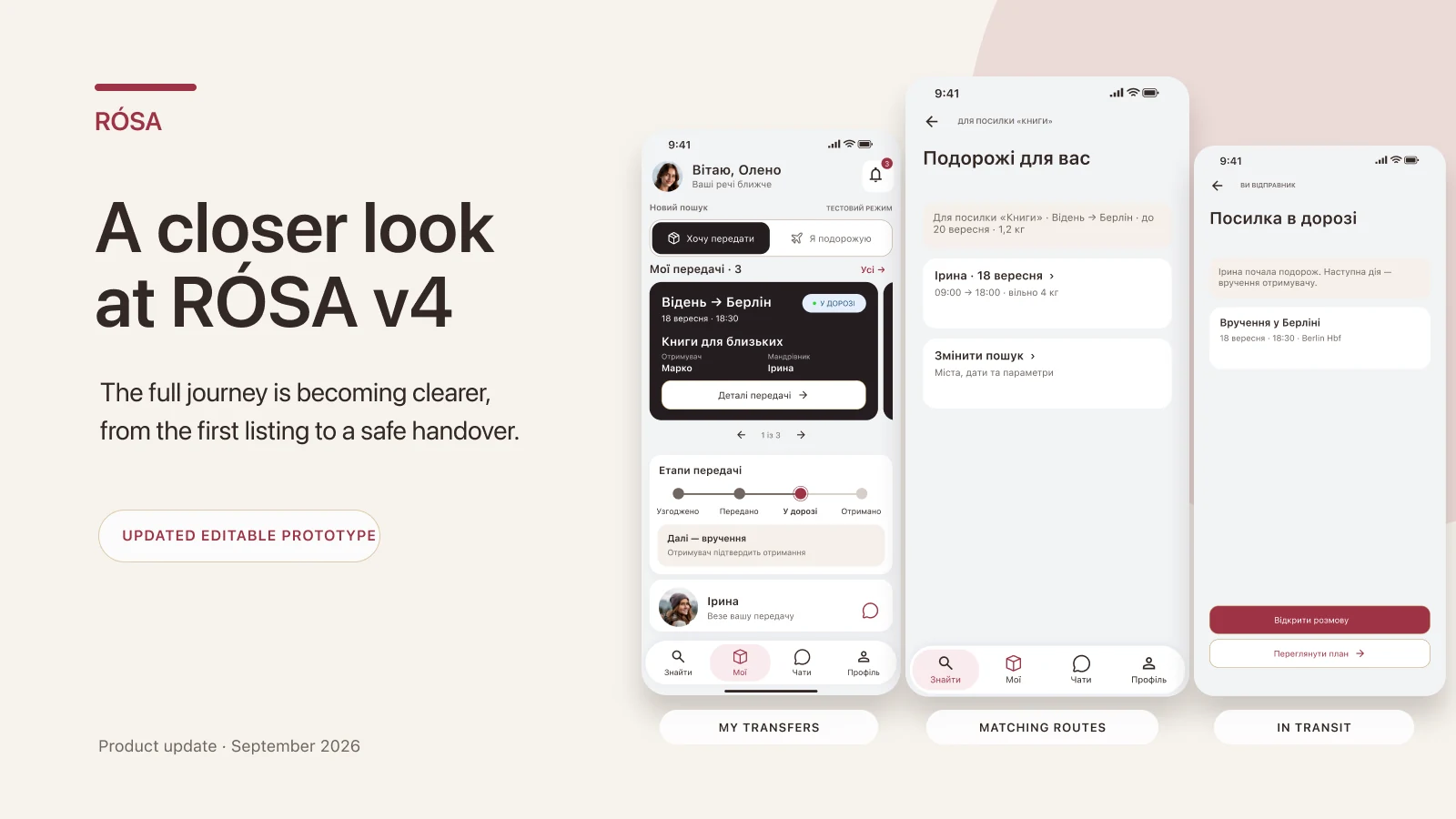
I have been rebuilding RÓSA screen by screen, and this update is the clearest picture yet of how the product is meant to work. The hard part is not drawing another listing screen. It is making sure everyone understands the next action, their responsibility, and the moment an item actually moves to another person.
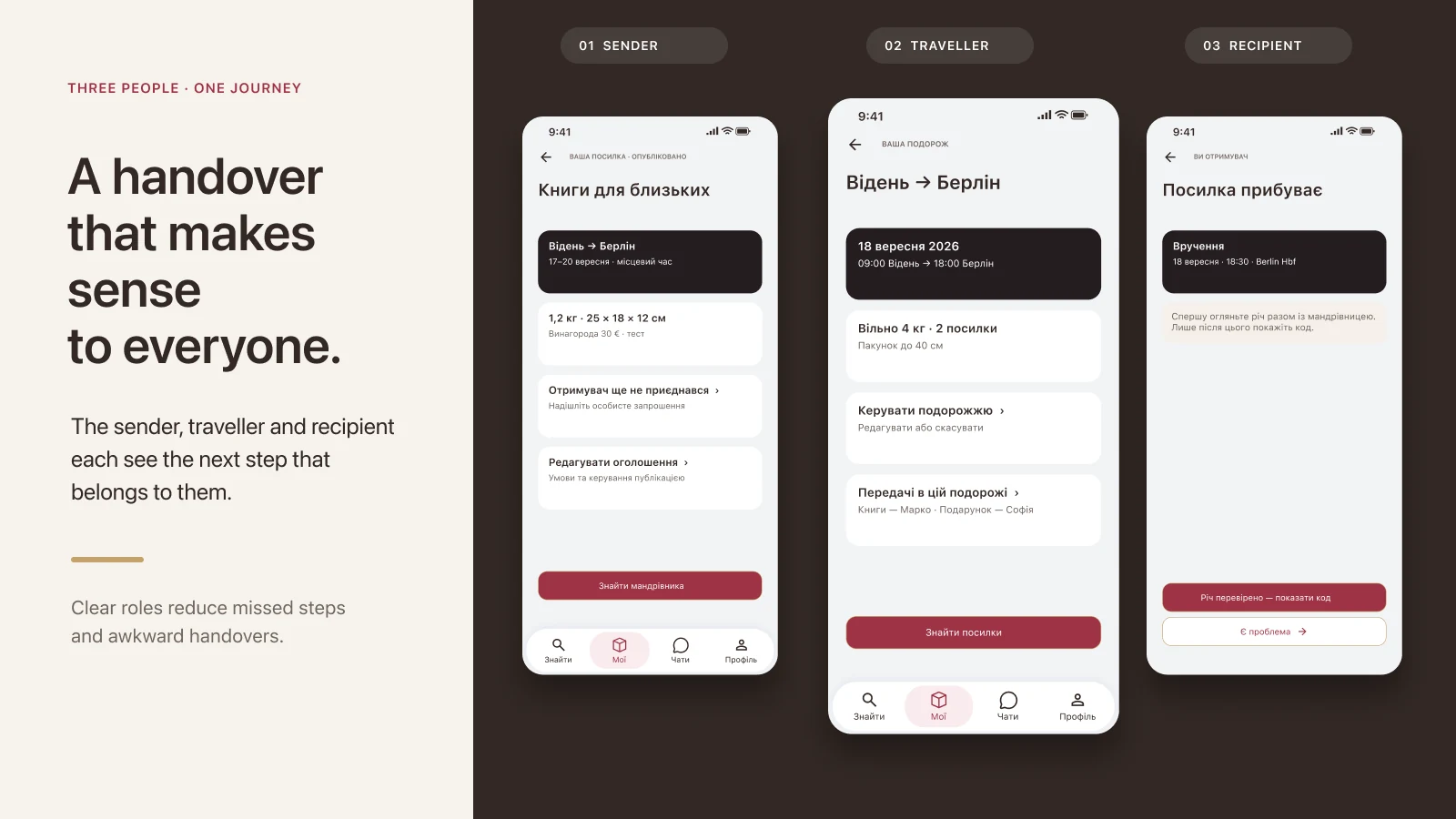
One journey, three different roles
Choose a participant to see their part of the transfer
Sender
Creates the listing, describes the item, adds photos, and agrees on the time and place of the first meeting.
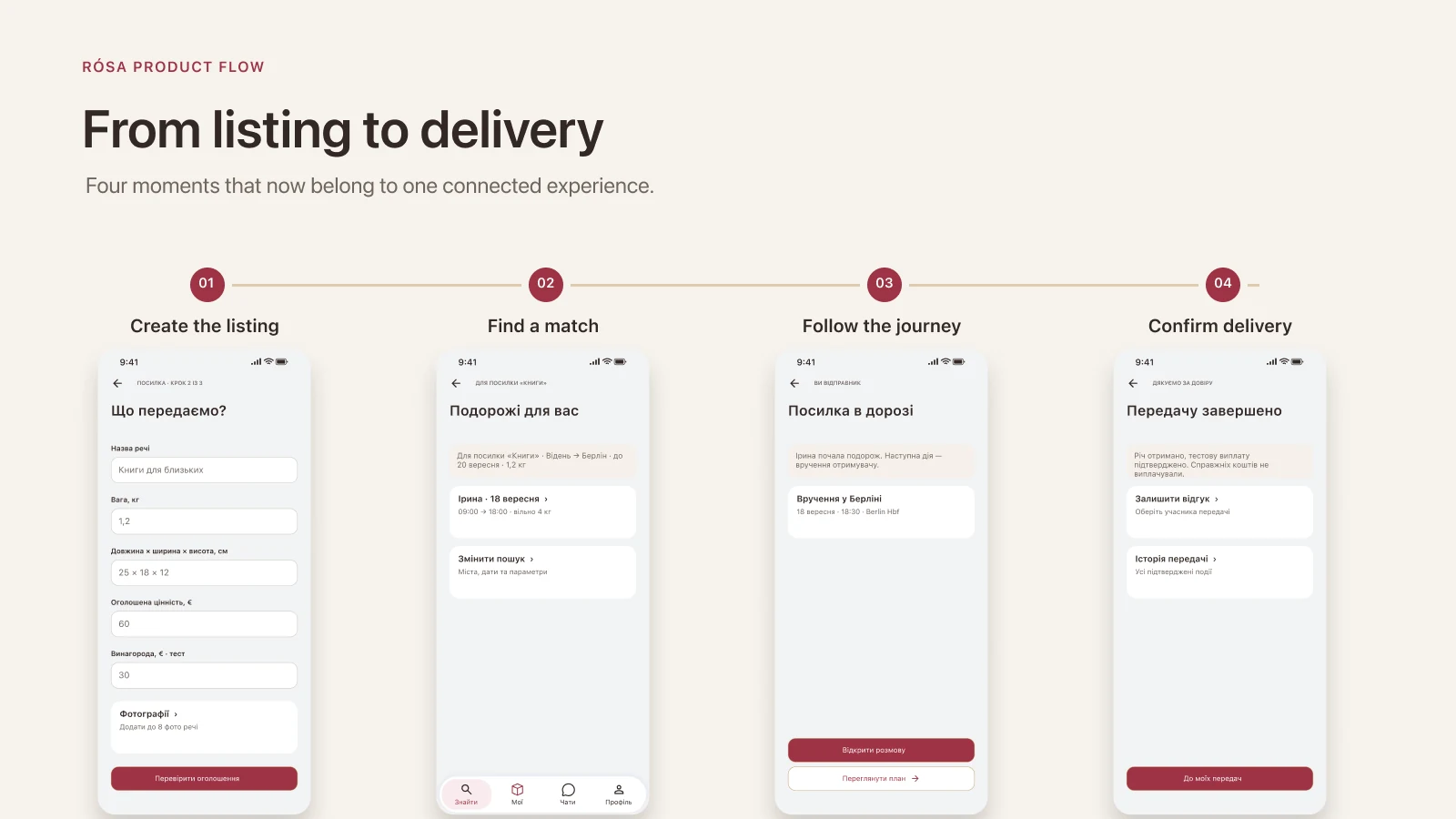
From a public listing to a real handover
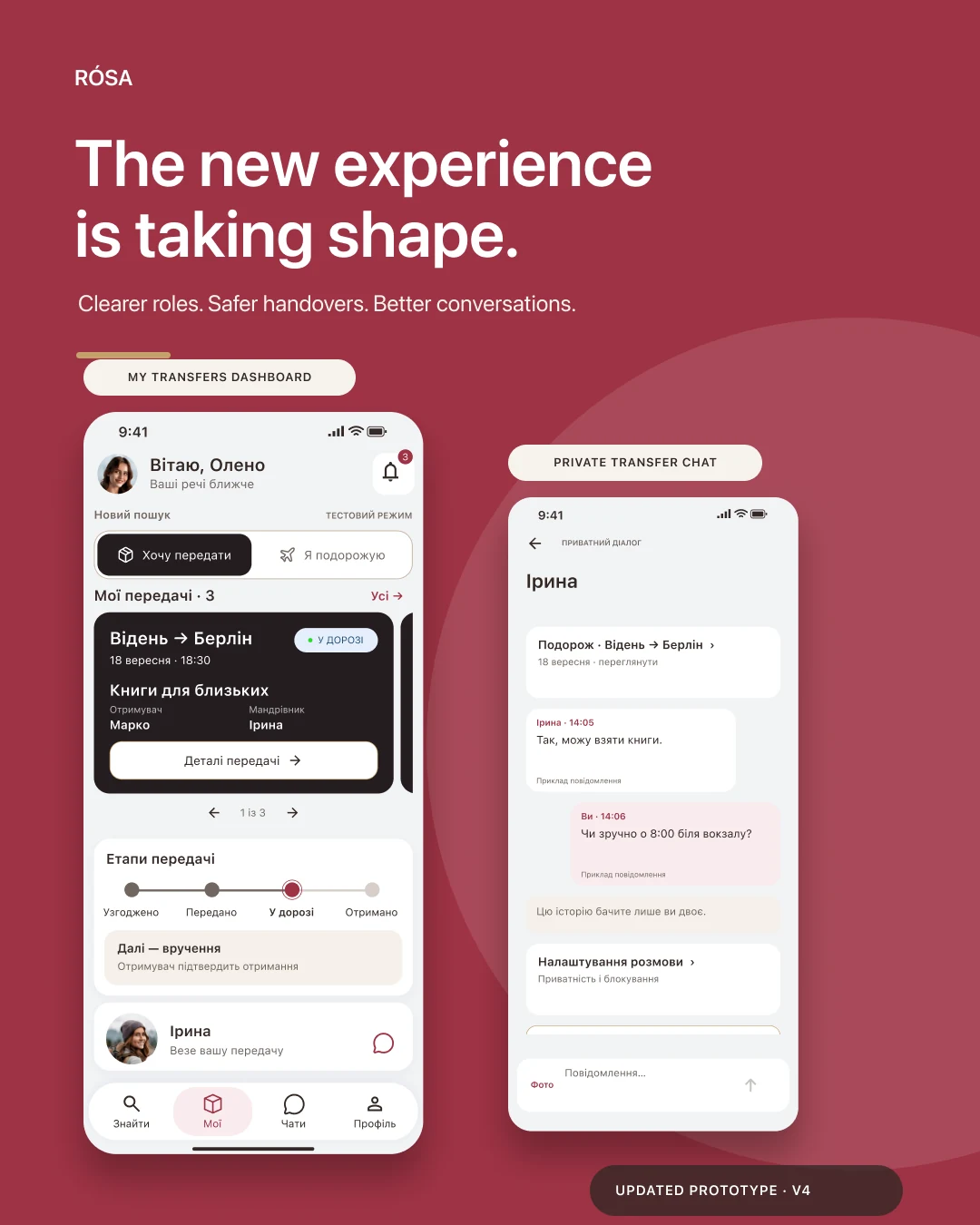
A sender shows what needs to travel while a traveler publishes an upcoming route. When the dates, direction, and conditions fit, the conversation moves into a private chat for that transfer. The agreement stays connected to the item, route, and people instead of disappearing into a stream of messages.
Explore the five stages
Listing
What is being sent, from where to where, when, in what condition, and under which limits.
Why RÓSA uses two different codes
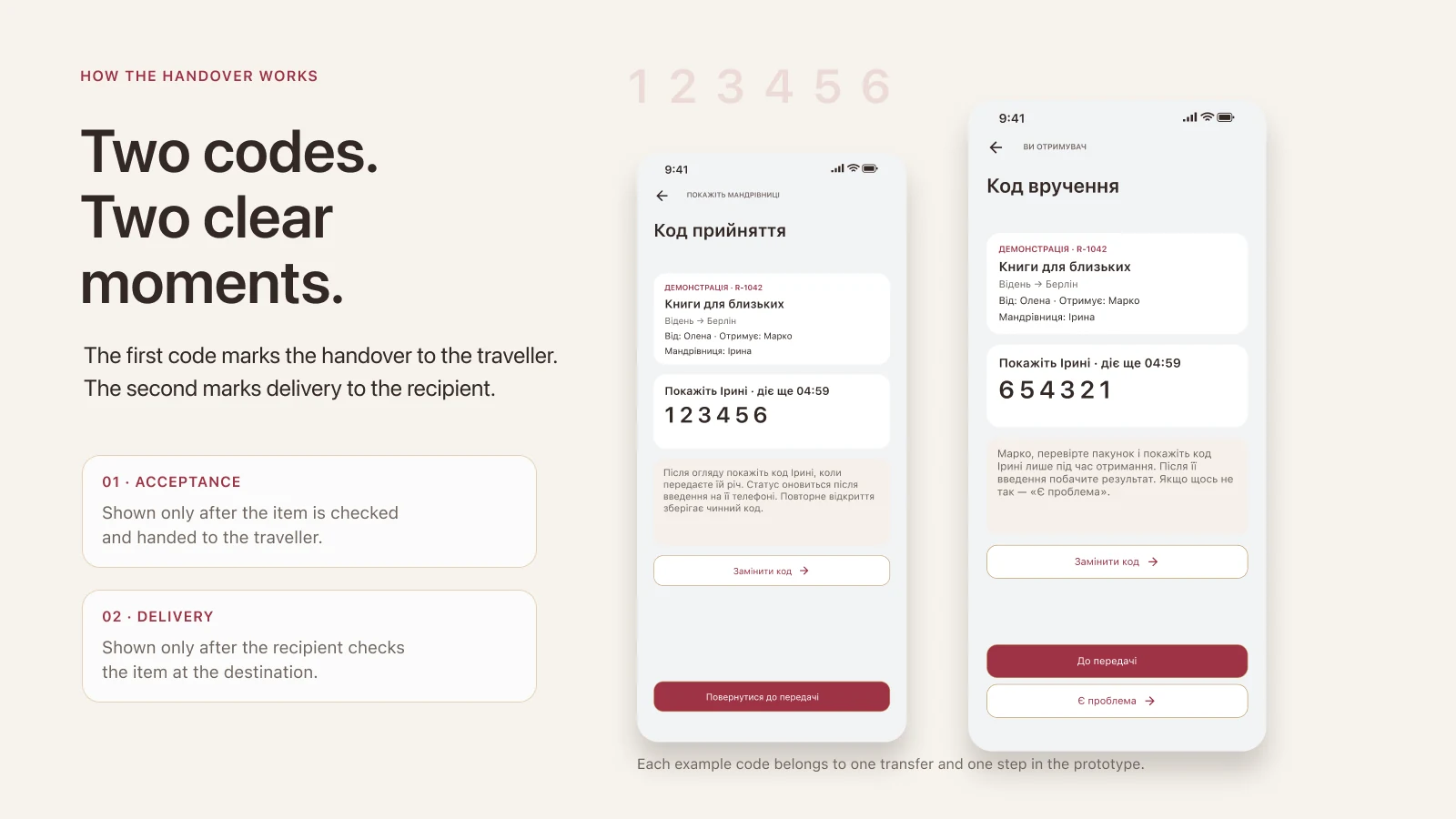
One code would mix two different events. The first happens when the sender gives the item to the traveler. The second happens later, often in another city or country, when the traveler gives it to the recipient.
Compare the two confirmations
Acceptance code
After inspecting the item together, the sender shows this code. It records that the traveler accepted the item, but it cannot confirm final delivery.
What happens behind the six digits
This is illustrative pseudocode, not production source. A number alone is not enough: the server must check the account, transfer, stage, participant, and expiry. Once confirmation succeeds, it is consumed. A repeated request returns the recorded result instead of creating a second handover.
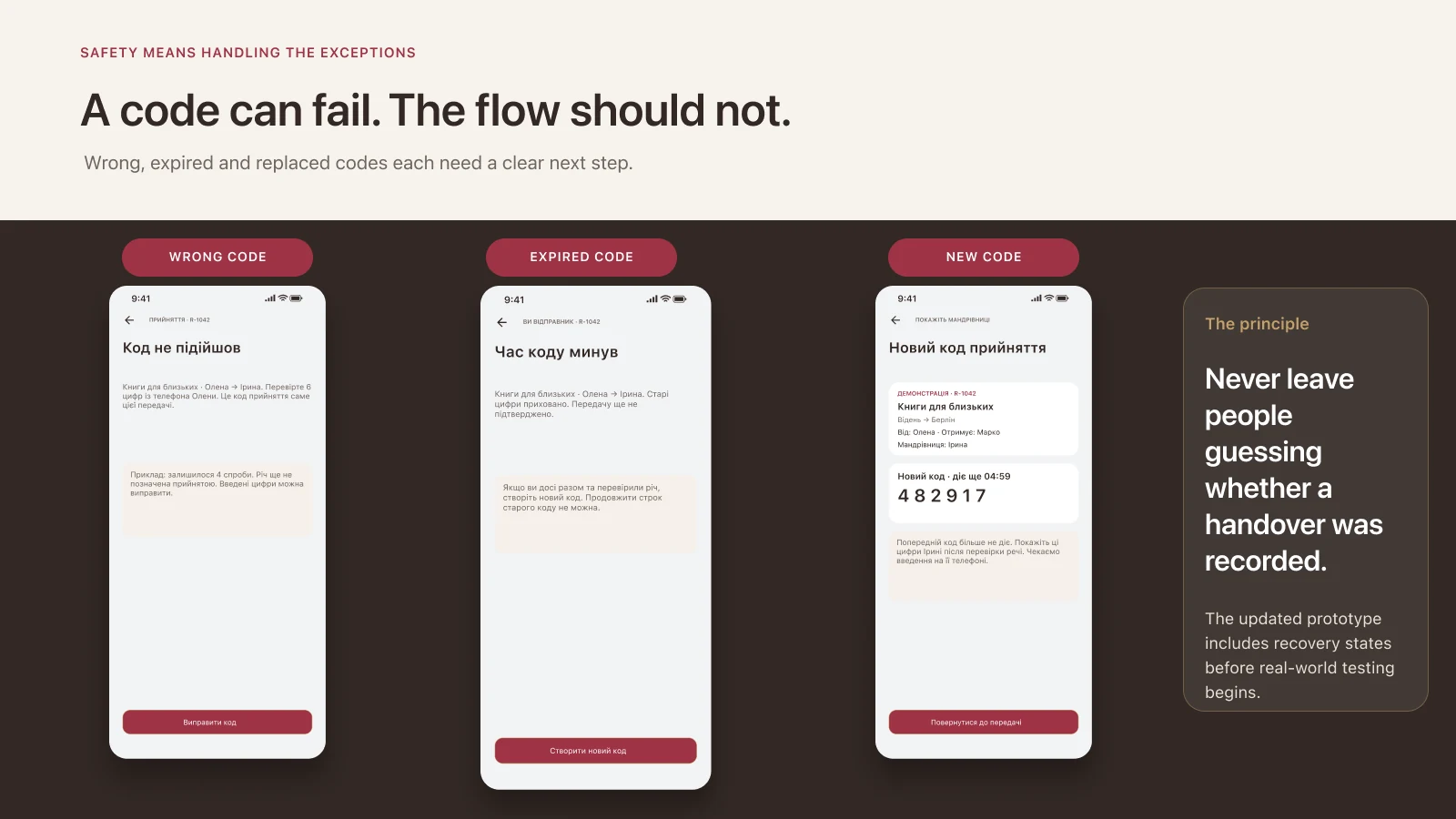
A safe flow needs failure states
See how the product should respond
Wrong code
The interface explains that the value does not match and leaves the transfer state unchanged.
What exists today, and what still needs testing
These screens are an editable product prototype. They define roles, states, and recovery paths, but they do not prove that every rule is already enforced by the production server. Real payments and real deliveries are not active in this demonstration.
- Verify server enforcement and concurrent requests.
- Run the journey on separate devices and accounts for all three participants.
- Test losing the connection before and after server confirmation.
- Keep sensitive confirmation material out of logs and public responses.
I am sharing the work now because the logic is still open to improvement. It is better to find a confusing step or missing recovery path in the prototype than during a real handover.
All articles